Easy Chess Engine

ECEIntuition Chess

A complete Windows chess environment for play, engine analysis, PGN study and automated competition — with over 300 human-style personalities.

ECE is made for fun: a free project developed with passion and dedication, created to offer a simple, pleasant chess experience to anyone who enjoys it. It makes no claim to be a professional product.

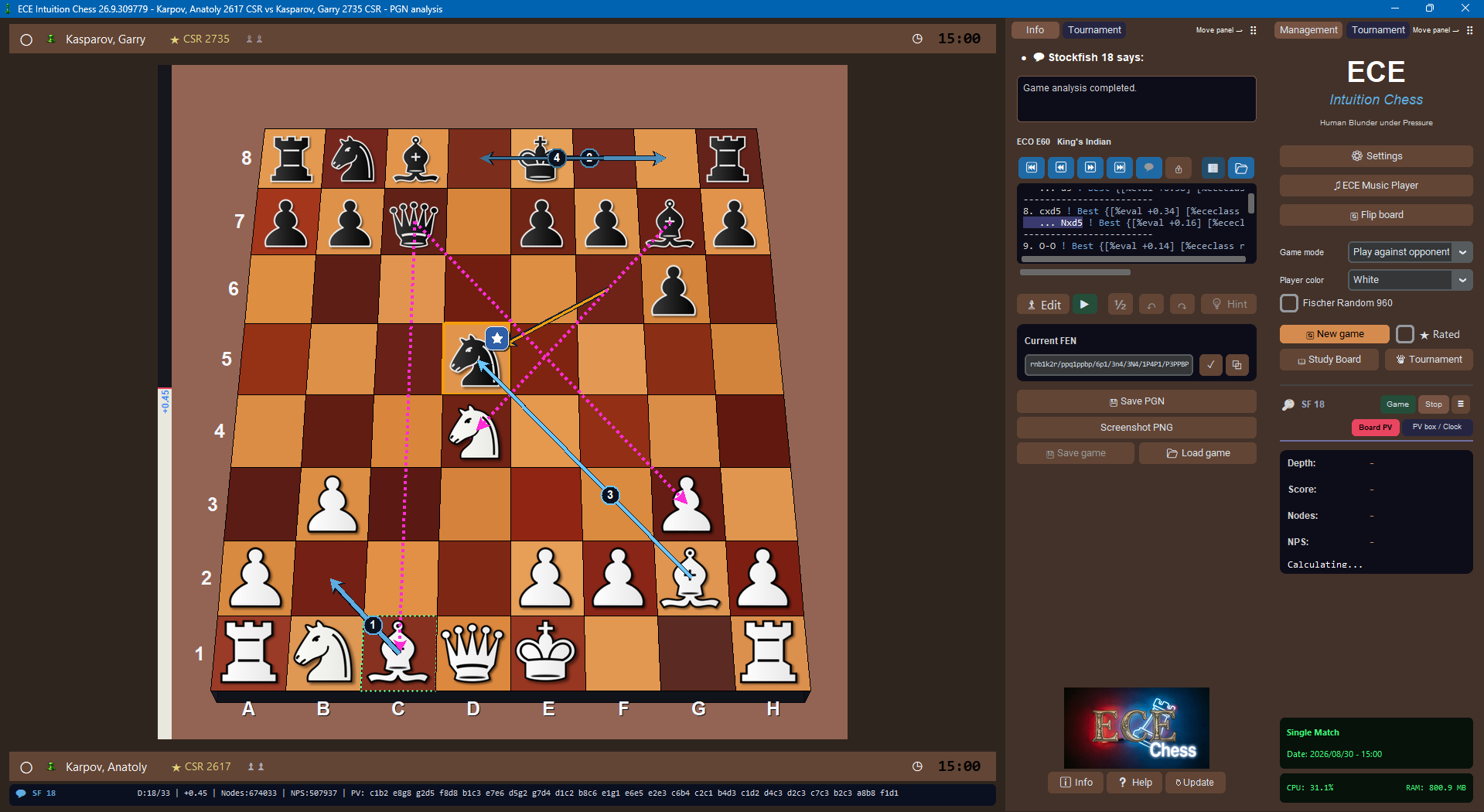
ECE Intuition Chess GUI

Engine e GUI, un solo ecosistema

ECE 26.7 è sia un motore UCI sia una GUI completa per Windows. Puoi usarlo nella sua interfaccia dedicata oppure caricare il motore in GUI esterne compatibili UCI.

ECE Engine

ECE 26.7 Intuition HBuP gioca alla massima forza disponibile e usa il sistema Human Blunder under Pressure per le personalità.

ECE Chess GUI

Una GUI scacchistica moderna con partite, analisi, studio PGN, tornei, archivi, FEN, setup position e motori UCI esterni.

300+ personalità

Avversari con stile, forza, psicologia, nazionalità e comportamento diversi: dall’allenamento base ai match di alto livello.

Personality names: all personality names are fictional. Any resemblance to real people, living or deceased, is purely coincidental.
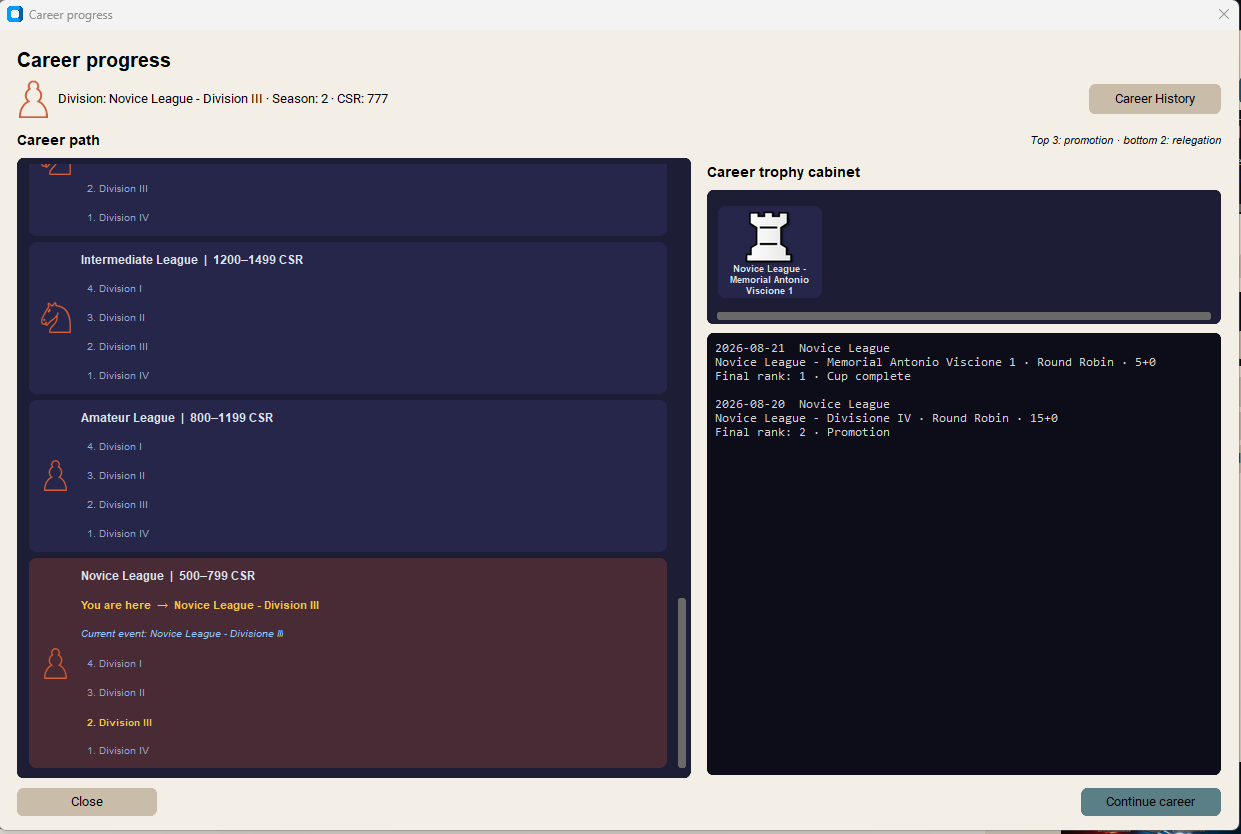
Chess960 and Career Mode: Play Fischer Random games and tournaments with the correct UCI context, or build a long-term chess career through official seasons, varied cups, promotion/relegation and a personal trophy cabinet.

Progettato per gioco, analisi e testing

L’interfaccia conserva lo stile ECE: scura, leggibile e concentrata sulla scacchiera.

ECE analysis and PGN

Analisi e studio PGN

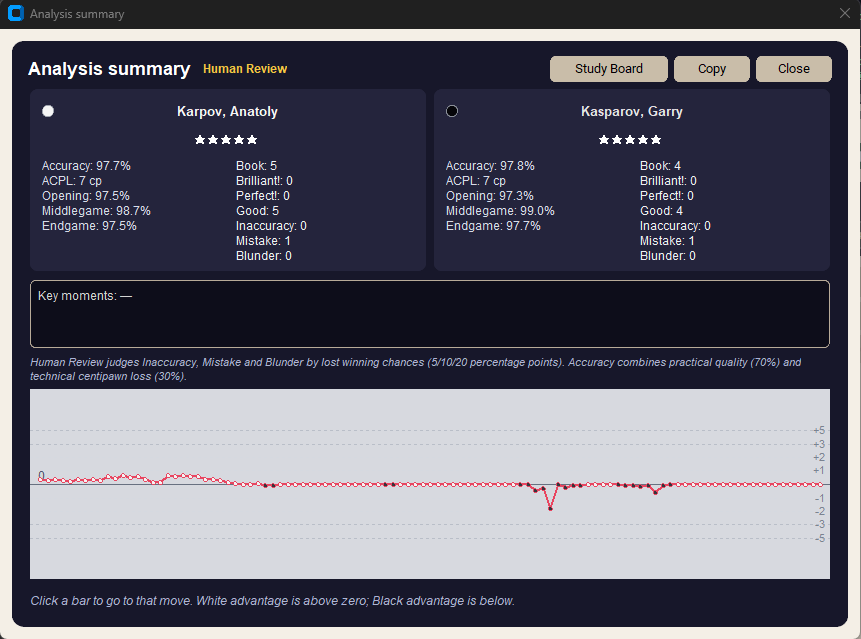
Analizza una posizione in tempo reale o una partita completa. ECE mostra principal variation, score, profondità, nodi, frecce e classificazione delle mosse.

  • Blunder, errori, imprecisioni e mosse buone
  • Commenti, varianti e FEN per lo studio
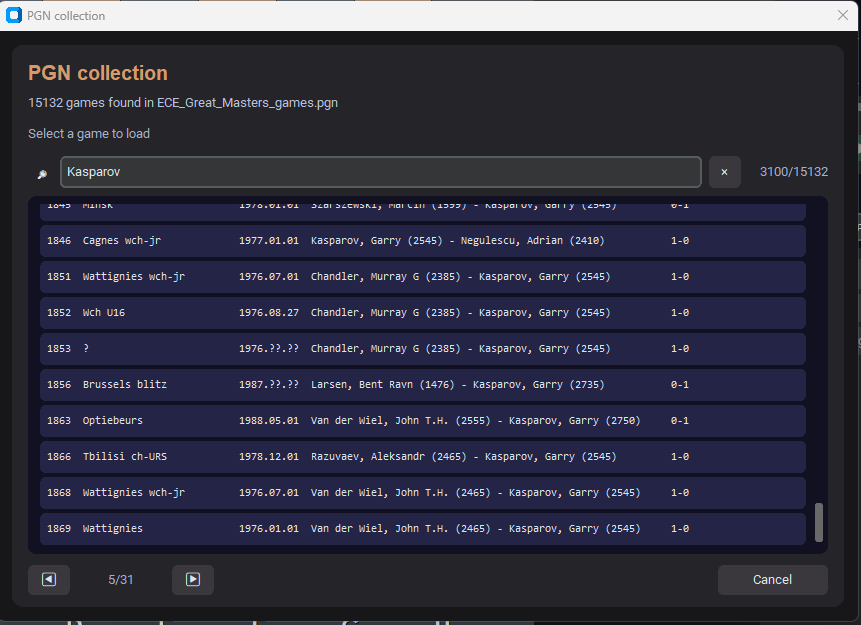
  • Archivio personale e PGN multipli navigabili
ECE personalities tournaments and engines

Personalità, tornei e motori

Gioca contro una personalità, osserva match automatici, crea tornei e conserva risultati, PGN Live e classifiche. La GUI può gestire anche motori UCI esterni.

  • Profili giocatore con CSR, statistiche e database separati
  • Match personalità vs personalità, motore vs motore e misti
  • TTS, suoni, premove, frecce, evidenziazioni e setup board

A complete chess environment

ECE Chess is a complete Windows environment for playing, analysing, studying and organising chess competitions.

  • ECE Intuition HBuP engine included: configurable human personalities, .ebk books, UCI, Chess960, Personality Creator and Engine Talk with 500+ English/Italian phrases.
  • 330+ ECE personalities: style, strength, nation, author, description, CSR, time behaviour and individual resignation logic.
  • External engines: UCI, WinBoard and WB2 support, automatic protocol recognition, dynamic options, command-line parameters and persistent configurations.
  • Every match type: human vs personality/engine, local two-player, personality vs personality, engine vs engine and mixed matches.
  • Rated or Unrated: player CSR plus optional dynamic ratings for personalities and external engines; official ECE remains the fixed CSR 2900 reference.
  • Time controls: fixed time, Fischer increments and staged/moves controls, configurable engine clock delay and informal continuation after a flag where allowed.
  • Tournaments: preset personality events and custom Round Robin, Double Round Robin, Gauntlet and Swiss tournaments with CSR, standings, Sonneborn-Berger, crosstable, pairings, PGN, HTML reports, pause, stop/resume and saved state.
  • Career Mode: CSR 500 start, progressive categories, promotion/relegation, official seasons, cups, random memorials, statistics and trophy cabinet.
  • Chess960 / Fischer Random: supported for games, matches, tournaments and analysis with correct UCI Chess960 configuration.
  • Live and full-game analysis: dedicated engine instance, evaluation bar, depth/seldepth, score, PV, nodes, NPS, mate distance, arrows and move badges; Brilliant, Perfect, Excellent, Good, Inaccuracy, Mistake and Blunder classifications.
  • PGN and study: clickable moves, current-position highlighting, variations/comments, configurable autoplay, arrows/badges, ECE annotation reload, complete headers, clocks, evaluations, depth, PV and best moves.
  • Books and openings: Live PGN, archives, per-profile database, multiple PGN/FEN, board editor, ECO recognition, main/dedicated books, configurable variety and Opening Study continuations.
  • Profiles and interface: separate user name, flag, CSR, history, PGN, tournaments and Career; premove, drag & drop, animations, sounds, Windows SAPI TTS, language/voice selection and safe fallback.
  • Visuals and tools: dynamic PNG piece/board sets, themes, colours, arrows, marked squares, border, coordinates and piece scaling; PNG screenshots, saved layouts, folder shortcuts, system monitor, diagnostics/logs, local/web Help, integrated license and About credits.
  • Multilingual: English, Italian, French, German, Spanish, Russian and Romanian, with localised release notes and automatic/manual updater fallback.

Career Mode

Start at CSR 500 and build a personal chess career through official Round Robin seasons, fast Cups, promotion and relegation, records and an unlimited trophy cabinet.

Career memorial events: the occasional Asiah Dezno Memorial, Antonio Viscione Memorial and WBEC Ridderkerk Memorial - Leo Dijksman are selected at random between official seasons. The WBEC memorial is dedicated to Leo Dijksman and to the computer chess community that inspired the creation of DimitriWBE, the very first chess engine from which my development journey began.

Download

Choose the package that fits your use. The GUI is the main ECE experience.

ECE Intuition Chess GUI 26.8.050718

Release date: 5 August 2026

The complete Windows GUI with engine, books, more than 300 personalities, real-time analysis, full-game review, PGN study, tournaments, archives, player profiles and external UCI-engine matches.

Download GUI

ECE Engine 26.7e Intuition HBuP

Release date: 5 August 2026

The standalone UCI engine is ideal for testing, tournaments or users who prefer another chess GUI. It includes logo, personalities, books and sample PGNs; Personality Creator and Explorer can be opened from external GUIs.

Download engine

ECE Pro Book

Professional opening book for ECE, designed to expand repertoire and variety in the opening.

Download Pro Book
Important for the standalone engine: keep the original folder structure. The ECE_26.7*.epr profiles must remain in the personality folder and the books in its books subfolder. Without them, ECE may not play at its default maximum strength.
Warning: ECE loads the entire 4 GB Pro Book into RAM when you use it. Make sure sufficient free memory is available before enabling it.
Installation advice: ECE needs to read and write files to manage tournaments and personalities and to download and launch updates. Install it in a location with these permissions; the default installer location is suggested.
Technical note: if automatic updates are blocked by Windows or an antivirus, you can simply download and install the latest version manually from this website.
ECE Help: a detailed multilingual guide is available online and directly in the GUI. It explains games, analysis, PGN study, tournaments, external engines, opening books, profiles, settings and the main controls. Open ECE Help.

Selected ECE test games

Browse a selection of ECE games directly on the board.

Requisiti di sistema

ECE è progettato per Windows e non richiede una configurazione estrema per giocare normalmente.

Minimi consigliati

Sistema: Windows 7, 8, 10 o 11.
CPU: processore 4 core.
RAM: 4 GB per il solo motore senza Pro Book; 8 GB per la GUI.
Schermo: minimo 1366x768; per una visualizzazione corretta e completa dell'interfaccia e consigliato Full HD 1920x1080.
Spazio: circa 1 GB libero, oltre allo spazio per libri e archivi.

Configurazione consigliata

Sistema: Windows 11.
CPU: processore 8 core o superiore.
RAM: 16 GB o più, soprattutto per analisi e Pro Book.
Schermo: Full HD 1920x1080 consigliato per il miglior layout e la piena leggibilita dell'interfaccia.
Spazio: almeno 6 GB liberi per GUI, motore, Pro Book e dati utente.

Il Pro Book richiede circa 4 GB di RAM aggiuntiva durante il caricamento.

Help improve ECE: please report any bug you encounter. Your feedback helps make the software better.

Screenshots and features

Explore the main ECE screens. Click any image to enlarge it and use the arrows to browse the collection.